

What does the operator see?
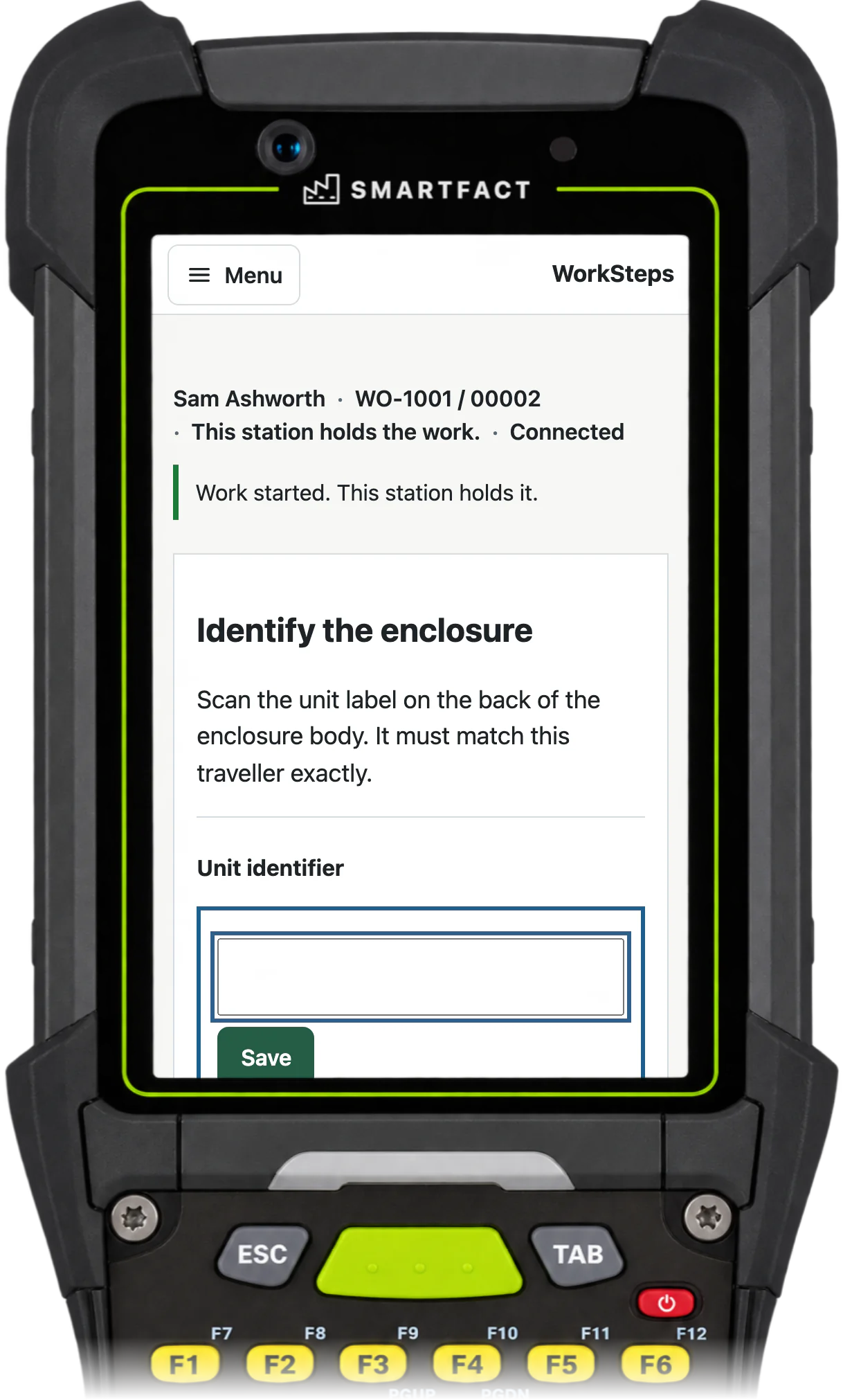
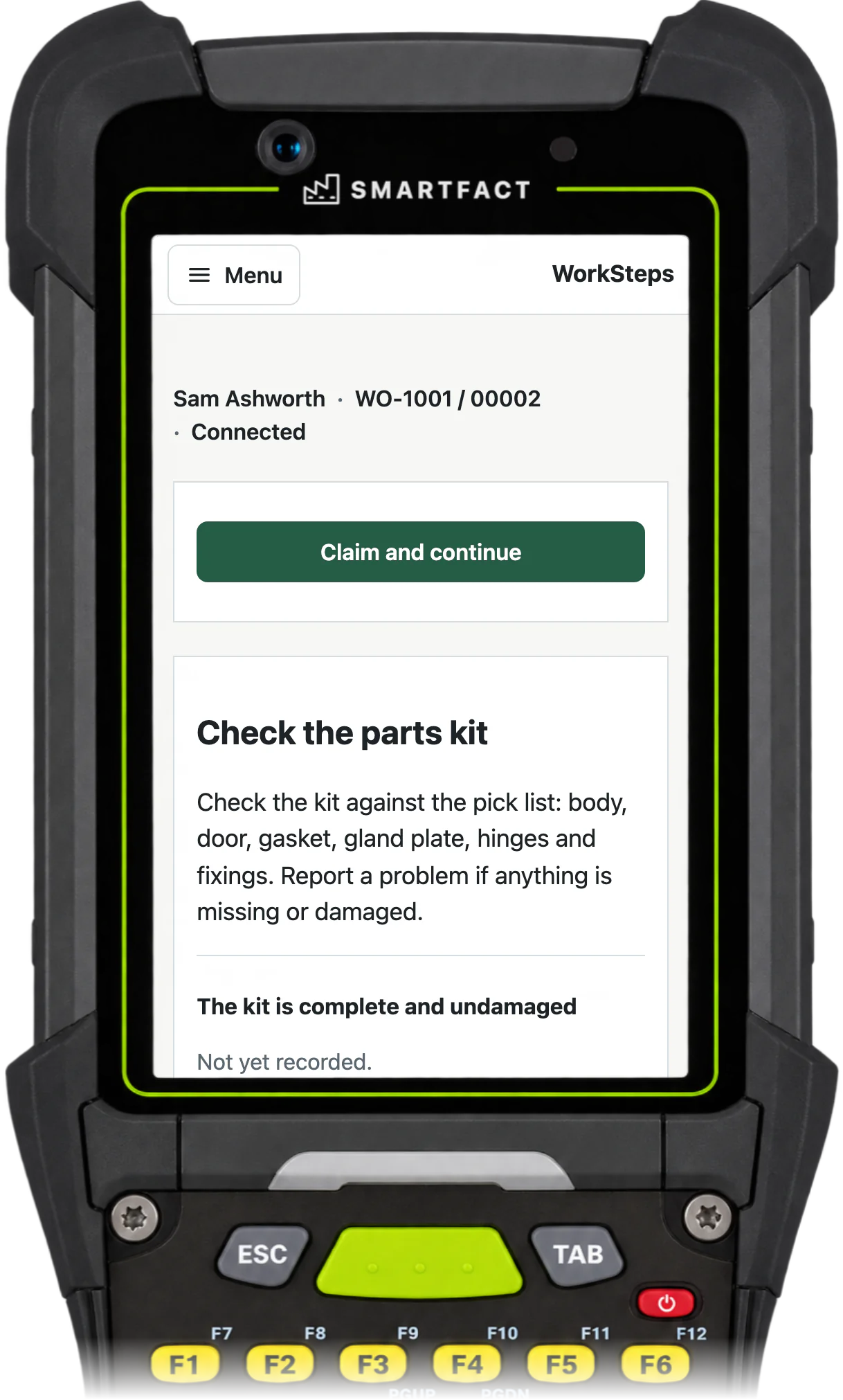
The operator finds the unit by its ID and claims the work at the station. The screen lists the steps selected for that unit, with the current step open: its instruction, the check it needs, and buttons to confirm it, say it cannot be confirmed, or report a problem.
Later steps can be read ahead, but viewing a step never records anything. Each step opens for evidence only when the steps before it are done.
Which evidence can a step require?
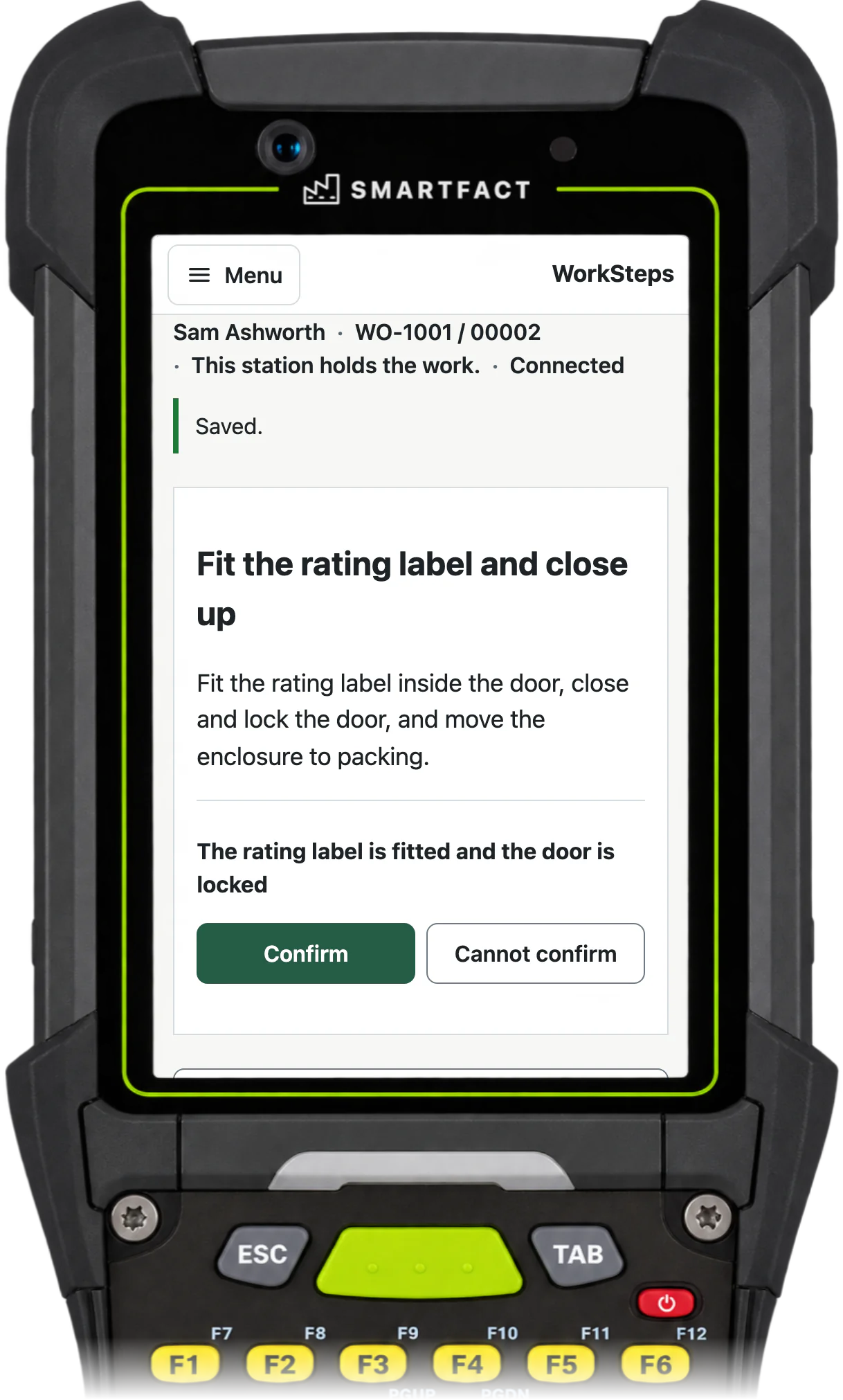
Each step names the evidence it needs: a confirmation, an exact identifier such as the unit’s label, typed text such as a reference, or a supervisor’s sign-off.
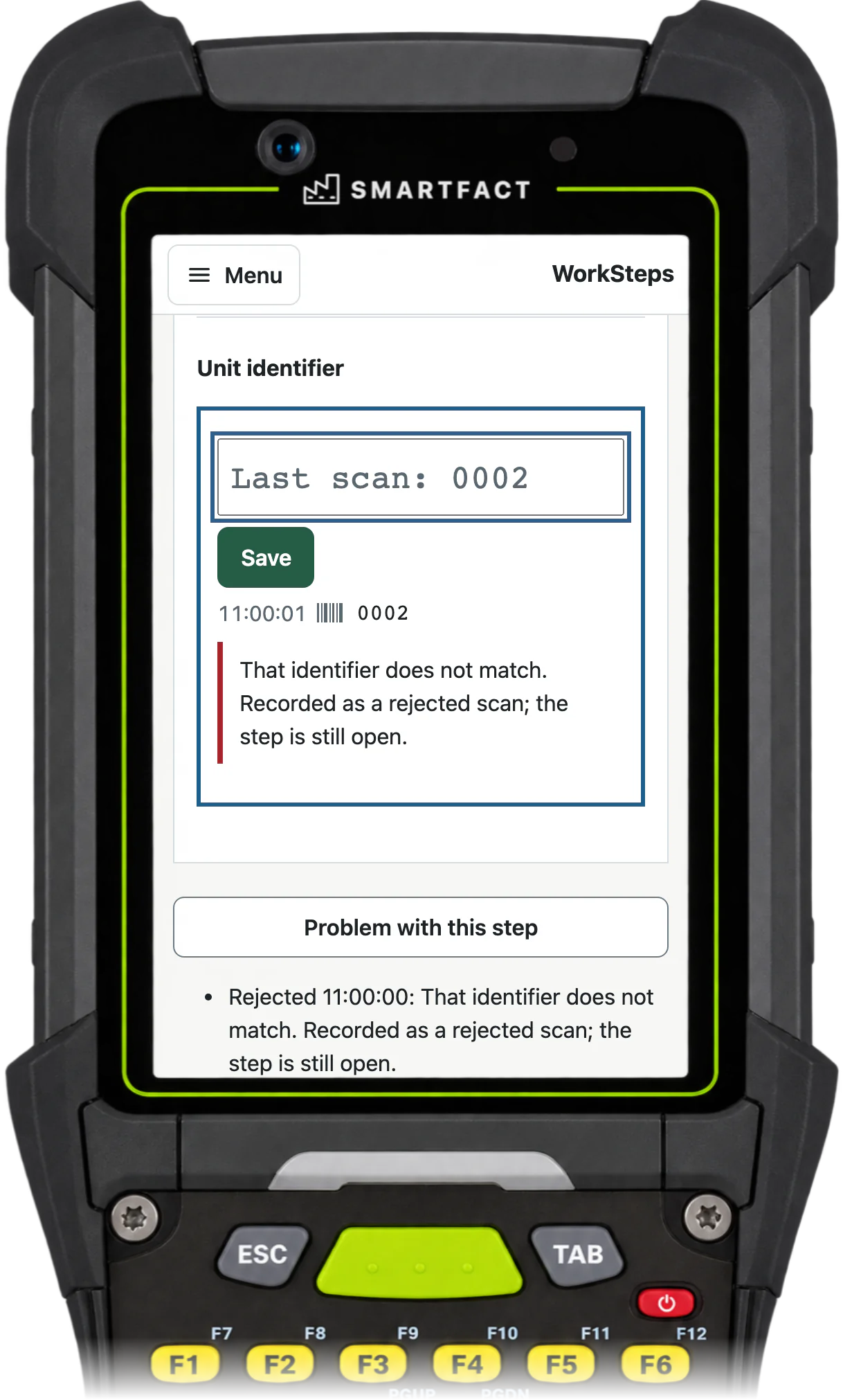
An identifier must match exactly, leading zeros included. A mismatch is recorded as a rejected scan and the step stays open. A confirmation records the operator’s statement that the step is done; it is not a measurement.
How are the right steps chosen for each unit?
Optional steps in the procedure carry conditions on the unit’s options, such as its material or mounting, and values such as the note for a material come from approved tables. When a unit is issued, WorkSteps reads its options once and builds its traveller: the selected steps, their values and the evidence each one needs.
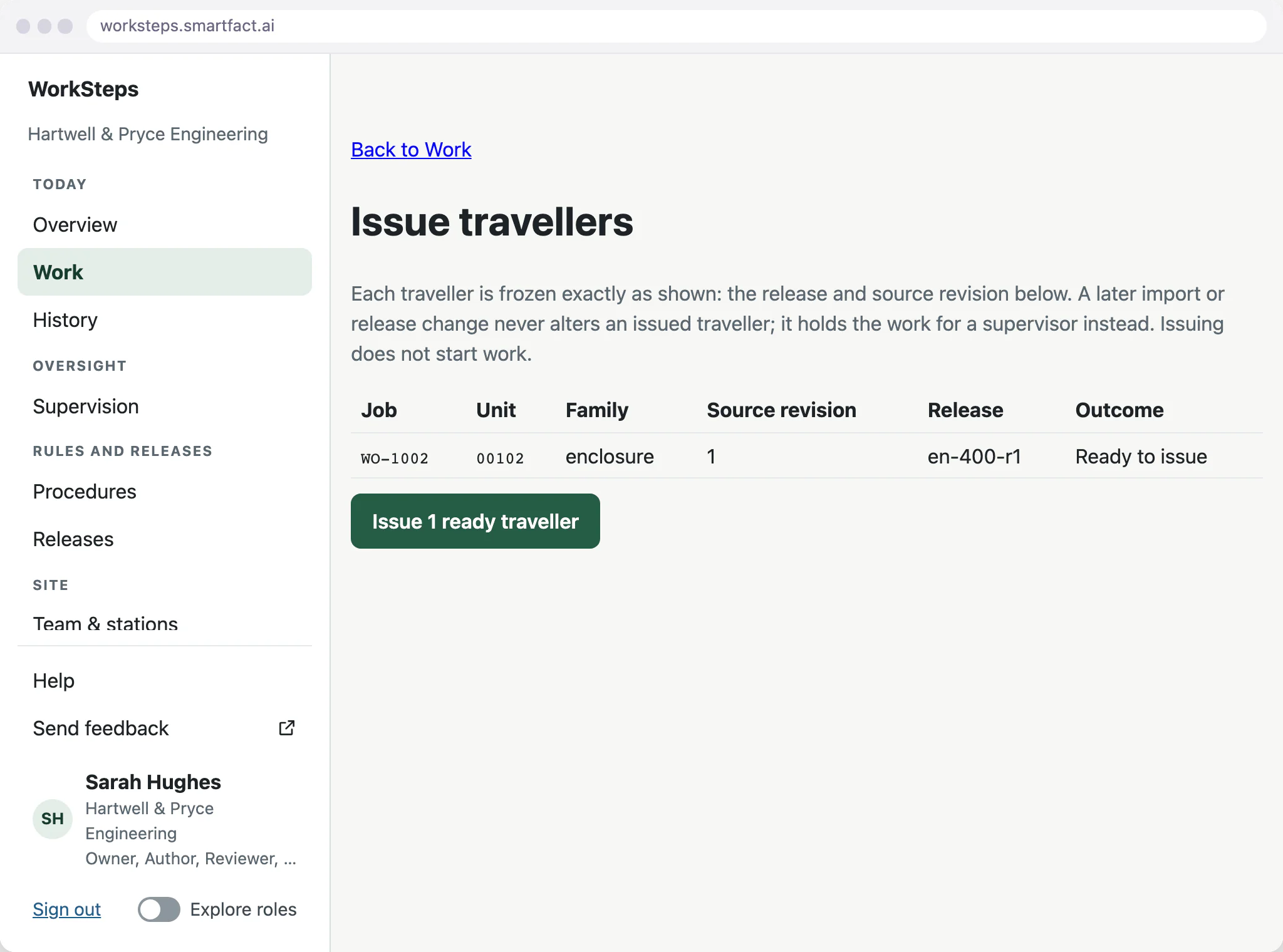
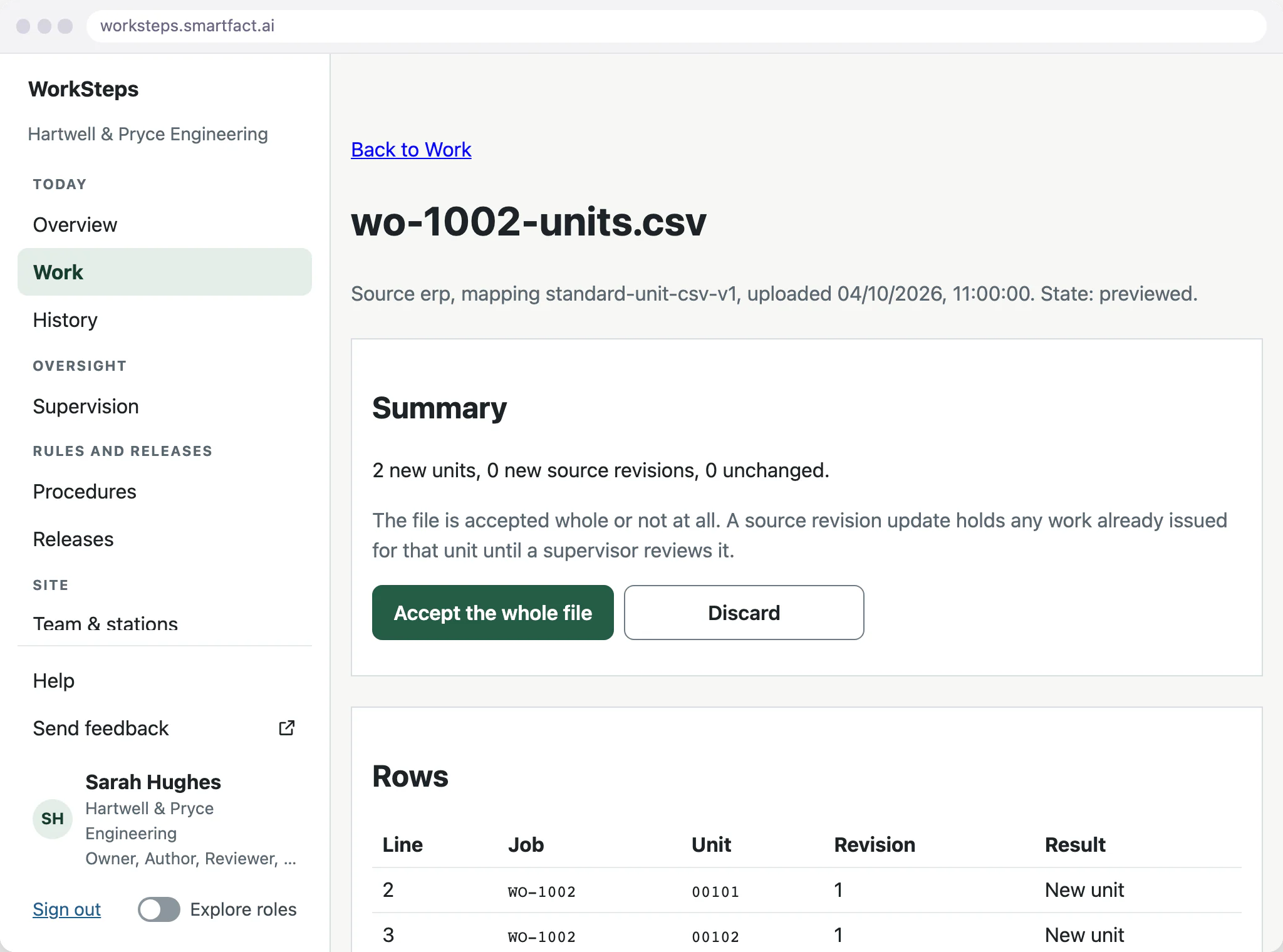
Before anything is issued, the preview shows each unit’s release, source revision and outcome. A unit with missing or invalid options is blocked instead of issued, and issuing does not start the work.
How are changes controlled?
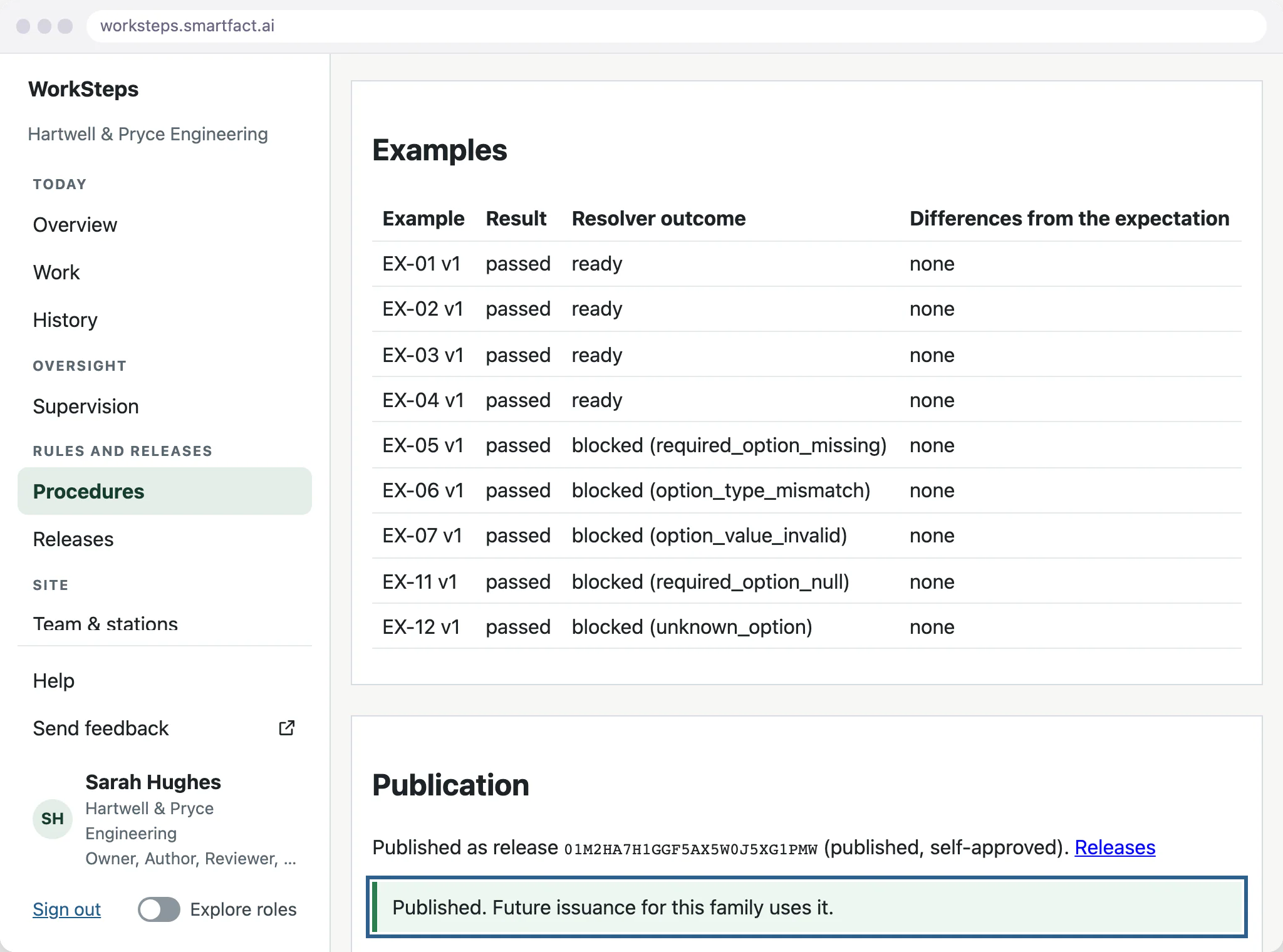
Only a published release reaches the floor. A revision must pass its proof against expected examples before it can be published, and a unit keeps the instructions it was issued with when a later release is published. Version control for work instructions has its own page on this site.
What happens when work stops?
Pausing keeps the accepted evidence and releases the claim, so anyone allowed to work on the unit can claim it next and continue at the next required step.
If a step cannot be followed, the operator reports a problem and the unit is held for a supervisor. The hold cannot be bypassed at the station.
Where do units come from?
Units arrive as a CSV file from your own system, one row per unit, with its job, unit ID, source revision, drawing revision and options, kept exactly as written, leading zeros included. The preview checks every row, and the file is accepted whole or not at all.
Importing does not issue work: issuing is a separate, deliberate step, for the units you choose.
What WorkSteps does not do
- Scheduling, stock control or a full MES.
- AI-written assembly methods or measurement decisions.
- Live branching from the operator’s answers, parallel routes or machine interlocks.
- Offline working. The station needs a network connection to record evidence.
- Native ERP connectors. Units arrive as a CSV file, and an ERP is connected as a paid integration through data.smartfact.ai.
Common questions
What software can I use to create work instructions?
For paper or PDF instructions, a word processor or a slide tool is enough. Digital work instructions software also puts the steps on screens at the workstation, asks for a check at each step and keeps a record of the work. WorkSteps does this for assembly that changes with each unit’s options.
Does AI write the assembly method?
No. Your process owner supplies and approves the method. SmartFACT turns a description of when a step applies into a proposed condition, which your team reviews and proves before release. WorkSteps then chooses the approved steps for each unit; it does not invent methods, hazards, tightening values or measurement limits.
Start free at one station and pay when you grow. While SmartFACT is in early access, we set your first workflow up with you.


