

How do I structure the steps?
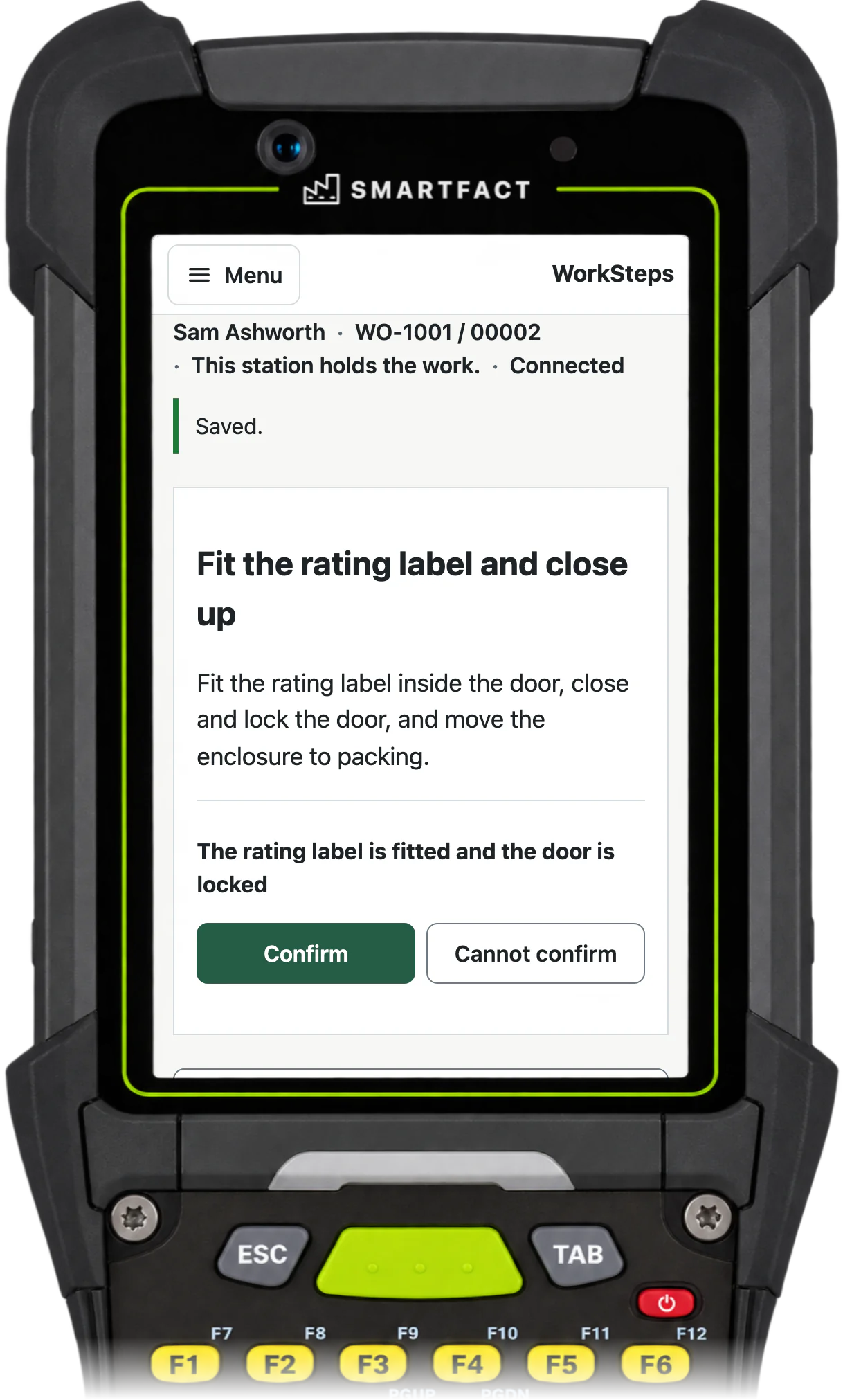
Write one action per step, in the order the work is done, and keep each instruction short enough to read at the bench. For each step, decide what the operator must record before moving on.
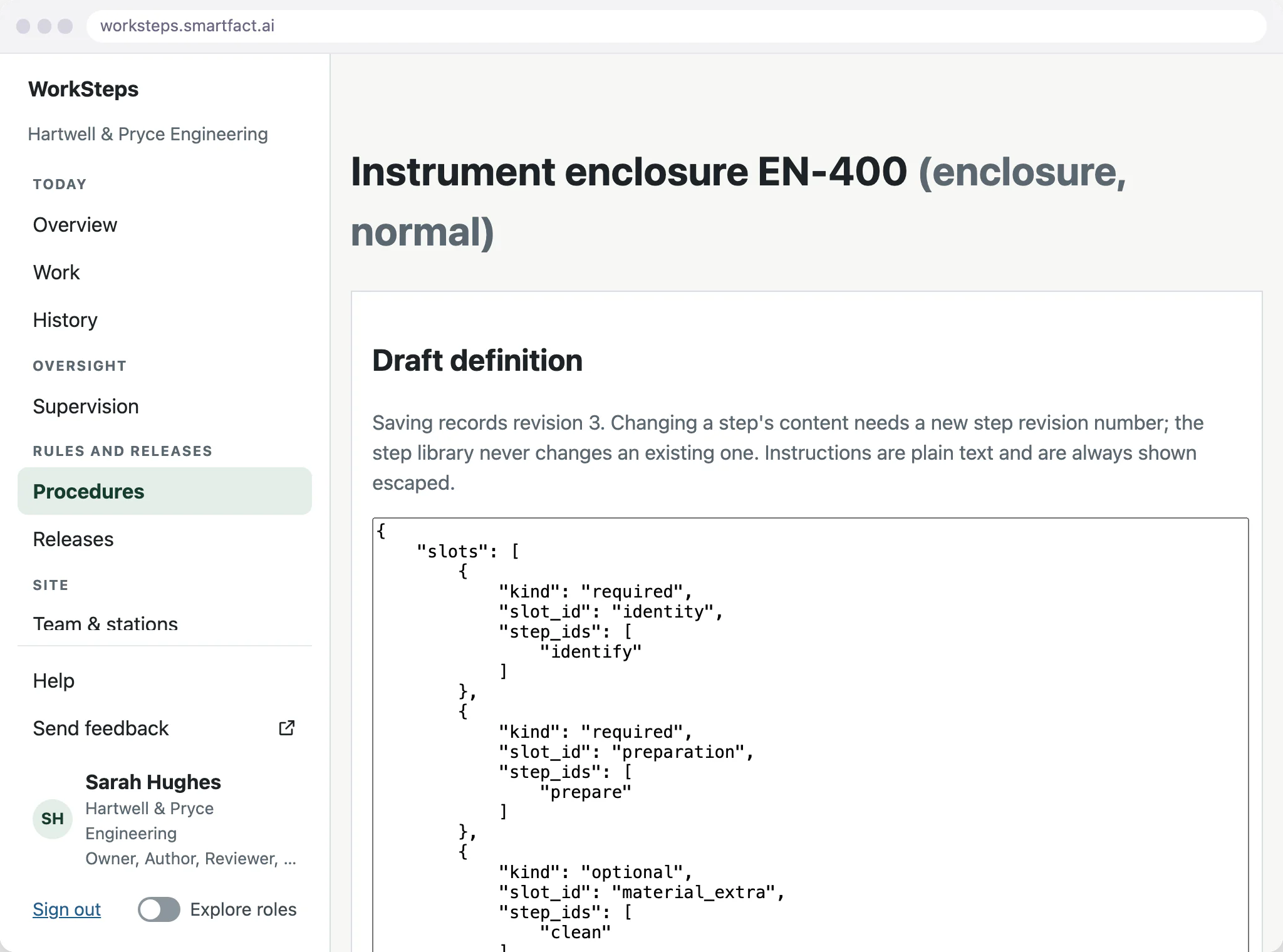
In WorkSteps, a procedure for a product family lists its steps in order, each with its instruction and the evidence it needs. A step that applies only to some variants is optional and carries a condition on the unit’s options, such as its material or mounting, so it is included only for the units that need it. A saved step never changes: new wording is a new step revision.
How do I add checks to a step?
A check is what the step records before it counts as done. A WorkSteps step can require a confirmation, a scan of an exact identifier such as the unit’s label, typed text, or a supervisor’s sign-off.
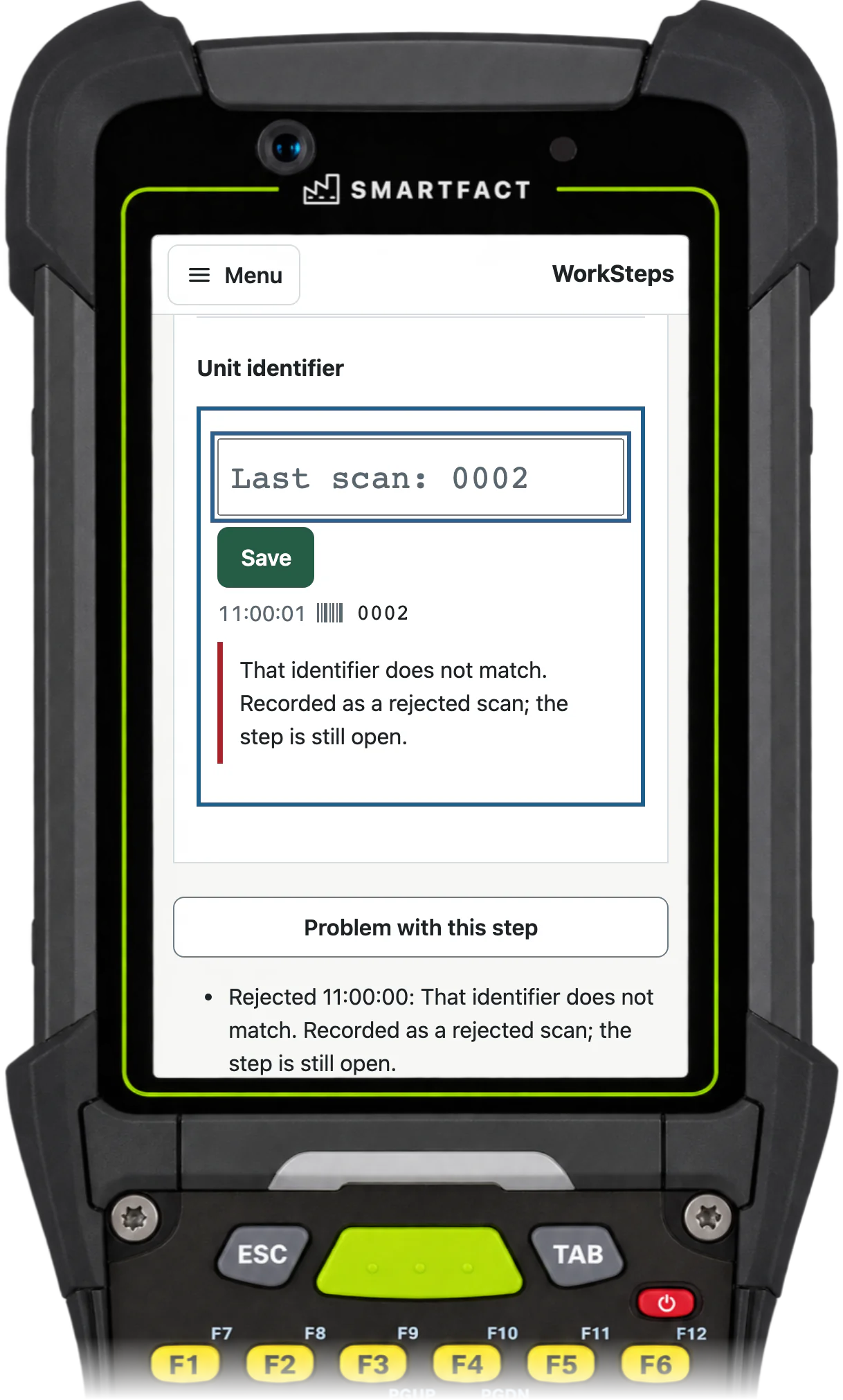
An identifier is checked exactly, leading zeros included. A label that does not match is refused and the rejection is recorded, while the step stays open until the right label is scanned.
How do I test the instructions before release?
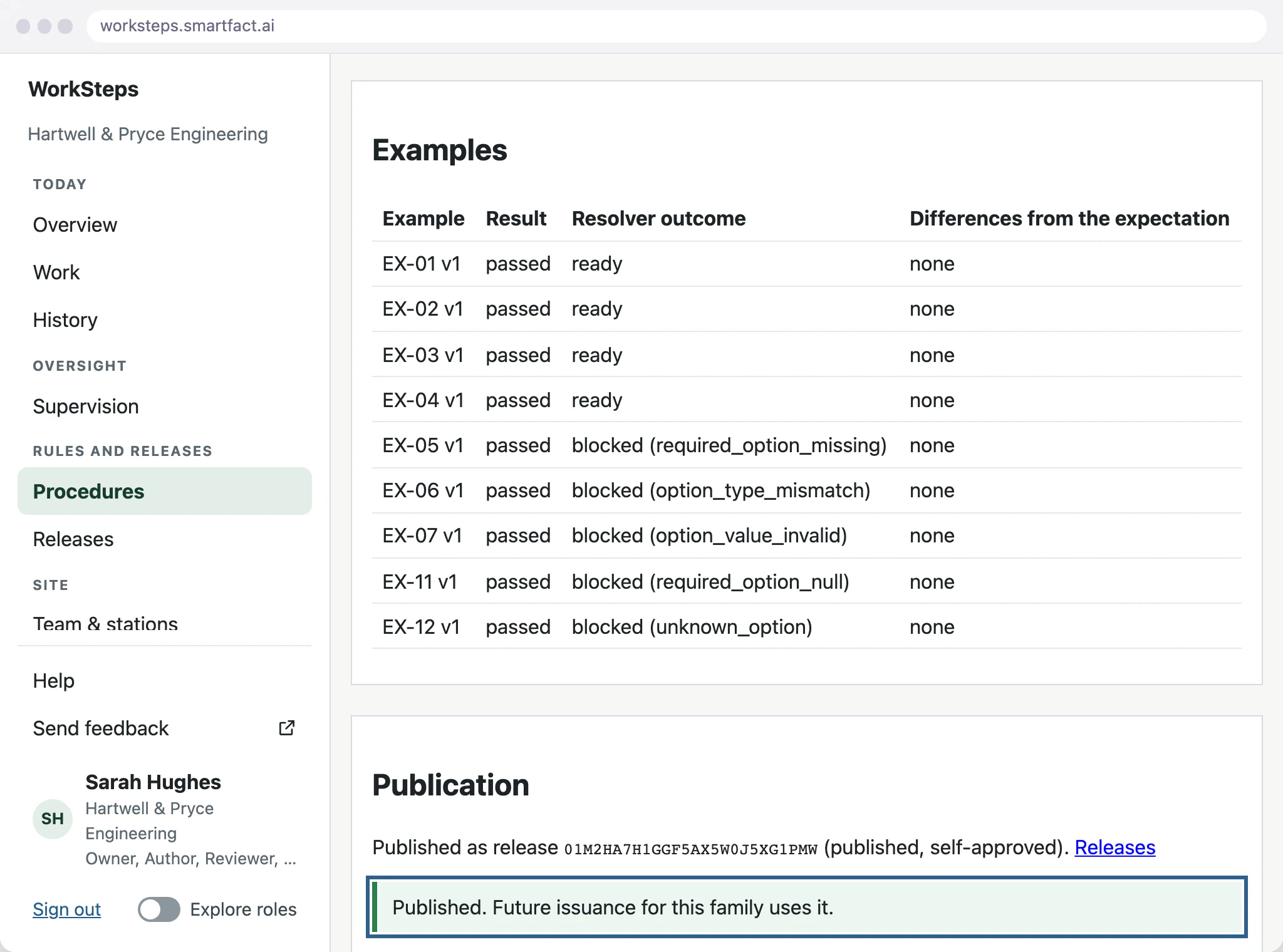
Test the procedure against examples whose expected route someone has written down independently: which steps each kind of unit should get, including optional steps, missing information and invalid values.
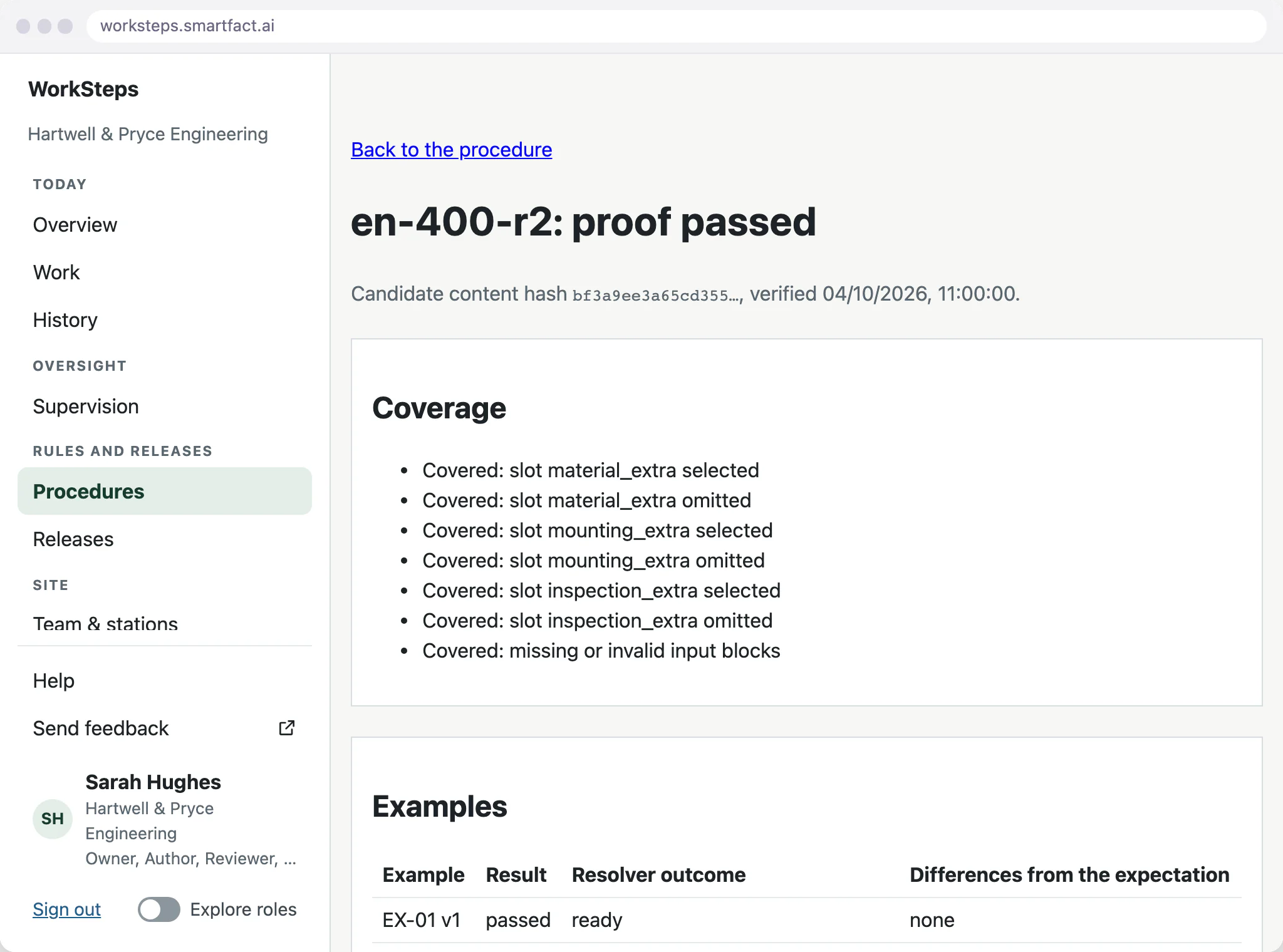
In WorkSteps, locking a revision and verifying it compares the route it produces for each example with those expectations, and checks that every optional step is covered both ways. A failing or outdated proof cannot be published, so you read the differences and correct the procedure first.
How do I publish them to the shop floor?
Publishing freezes the proven revision as a release, and the product family uses it for new units. Units arrive from your own system as a CSV file; issuing a unit creates its traveller, the steps chosen for that unit from the release, ready to claim at a workstation.
Units issued earlier keep the instructions they were issued with, so a new release never changes work already on the floor.
How do operators follow them?
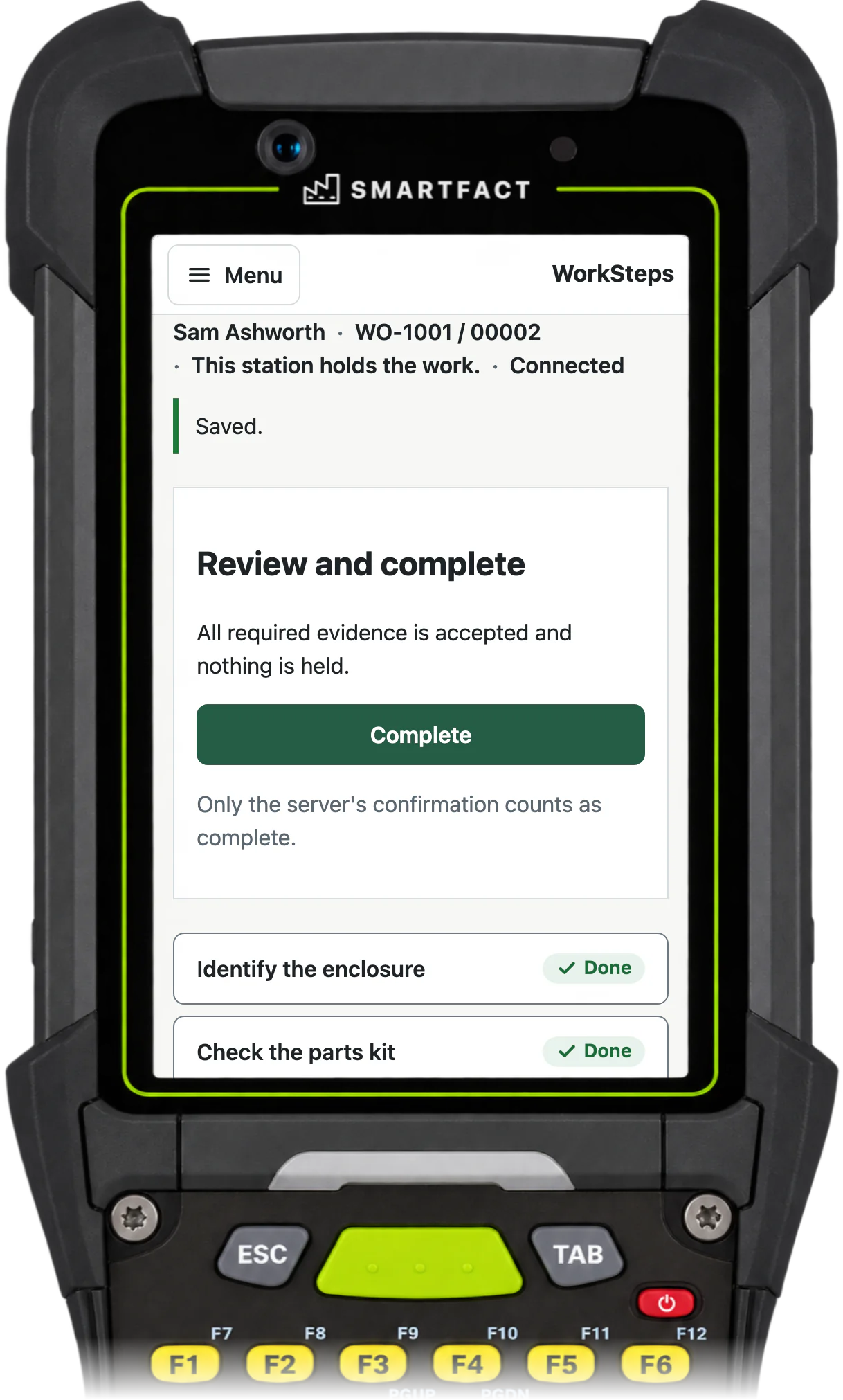
At the workstation, the operator finds the unit by its ID, claims the work and follows the route already selected for it, one step at a time. Each step asks for its check before the next one opens.
Completing the unit is a separate action, available once every required check is recorded and nothing is held. WorkSteps then saves a completion record confirmed by the server.
What if a step cannot be followed?
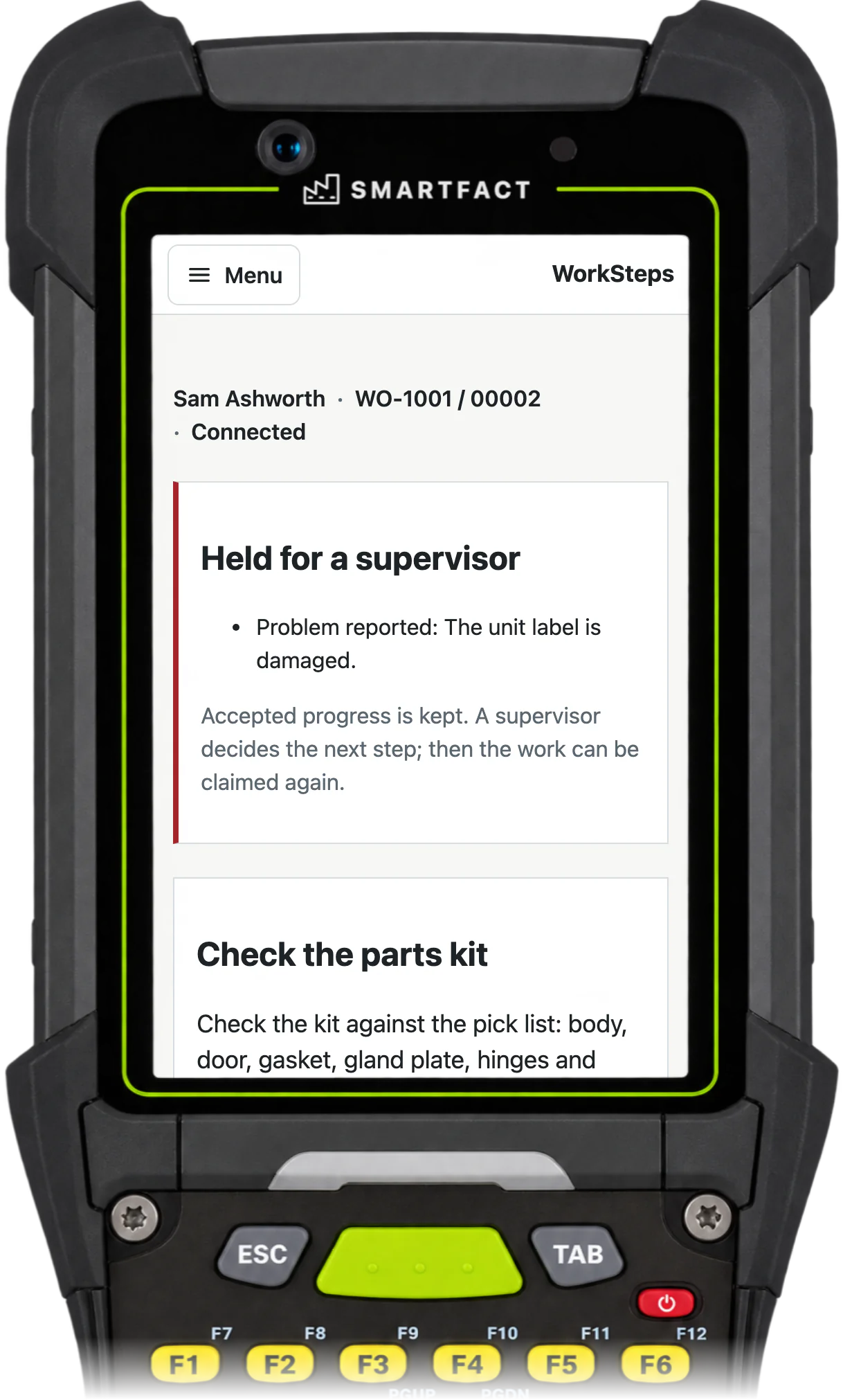
The operator reports a problem with the step and describes it. WorkSteps holds the unit for a supervisor and keeps the progress already accepted. The hold cannot be bypassed at the station, and the supervisor records how it was resolved.
What WorkSteps does not do
- Turning videos, PDFs or existing documents into steps. Your team writes and approves the method.
- Translating instructions into other languages.
- 3D models or animated instructions.
- Live branching. The steps for each unit are chosen when it is issued, not from the operator’s answers during the work.
- Machine control or interlocks.
Common questions
What software can I use to create work instructions?
For paper or PDF instructions, a word processor or a slide tool is enough. Digital work instructions software also puts the steps on screens at the workstation, asks for a check at each step and keeps a record of the work. WorkSteps does this for assembly that changes with each unit’s options.
How to use AI to create work instructions?
Use AI for the rules, not the method. A WorkSteps author can describe when a step applies, such as “Include the mounting check when the wall option is selected”, and SmartFACT proposes the condition. The author reviews the proposal, and it is proved against expected examples before release. Your team writes and approves the steps and the method: AI does not write them, and it is not used while operators work.
How can I create my own instruction manual?
List the tasks in the order they are done, write one action per step in plain words, and add a check wherever a mistake would matter. Ask someone who does the job to follow it before you publish it.
Start free at one station and pay when you grow. While SmartFACT is in early access, we set your first workflow up with you.


